

Quickstart
Quickstart
DewaVPS Network services enable you to manage your cloud connectivity. Create and assign public IPs, set up private networks for secure internal communication, and configure reverse DNS (RDNS).
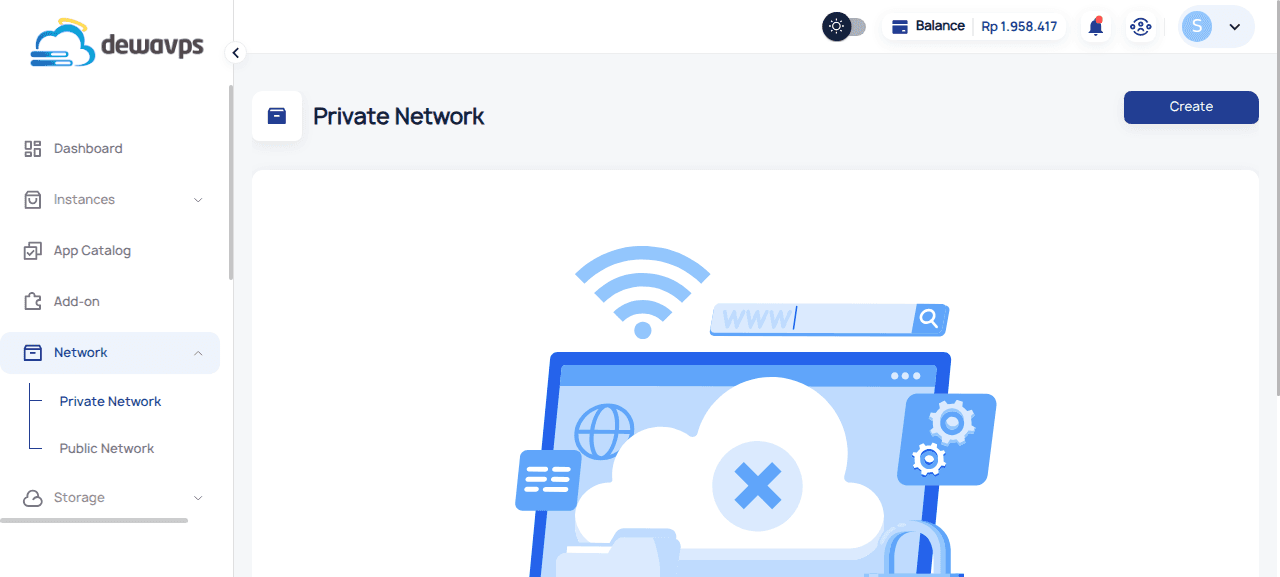
Public Network (Floating IPs)
Public IPs make your instances accessible from the internet. Each public IP can be attached to one instance at a time.
Quick Steps
- Navigate to Network → Public Network.
- Click Create to allocate a new public IP.
- Select the location (currently Jakarta).
- Click Confirm.
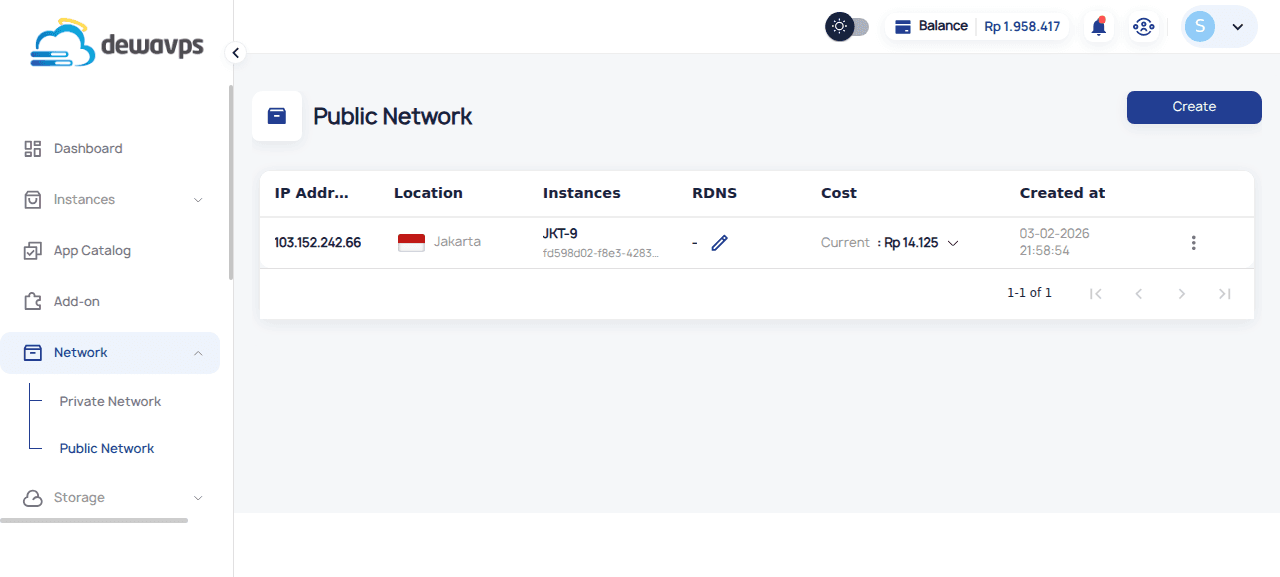
Pricing
Public IPs are metered hourly. Check the billing section for current rates.
Private Network
Private networks allow instances to communicate internally without traversing the public internet. Useful for databases, internal APIs, and secure service-to-service communication.
Quick Steps
- Navigate to Network → Private Network.
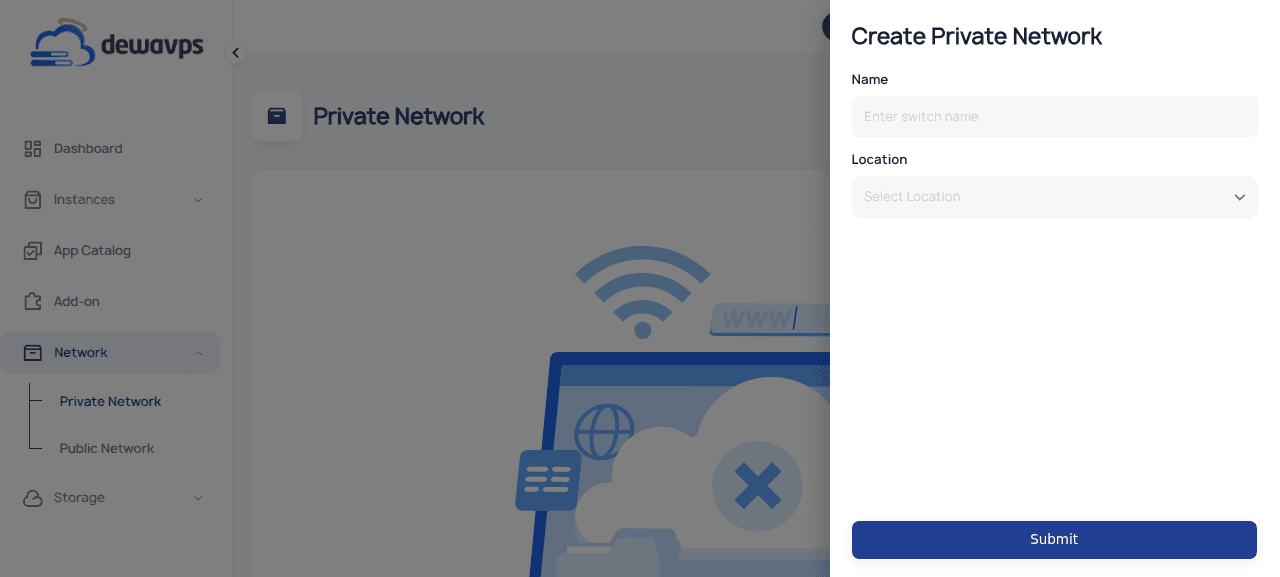
- Click Create.
- Enter a name (e.g.,
MyPrivateNetwork) and select location. - Click Submit.
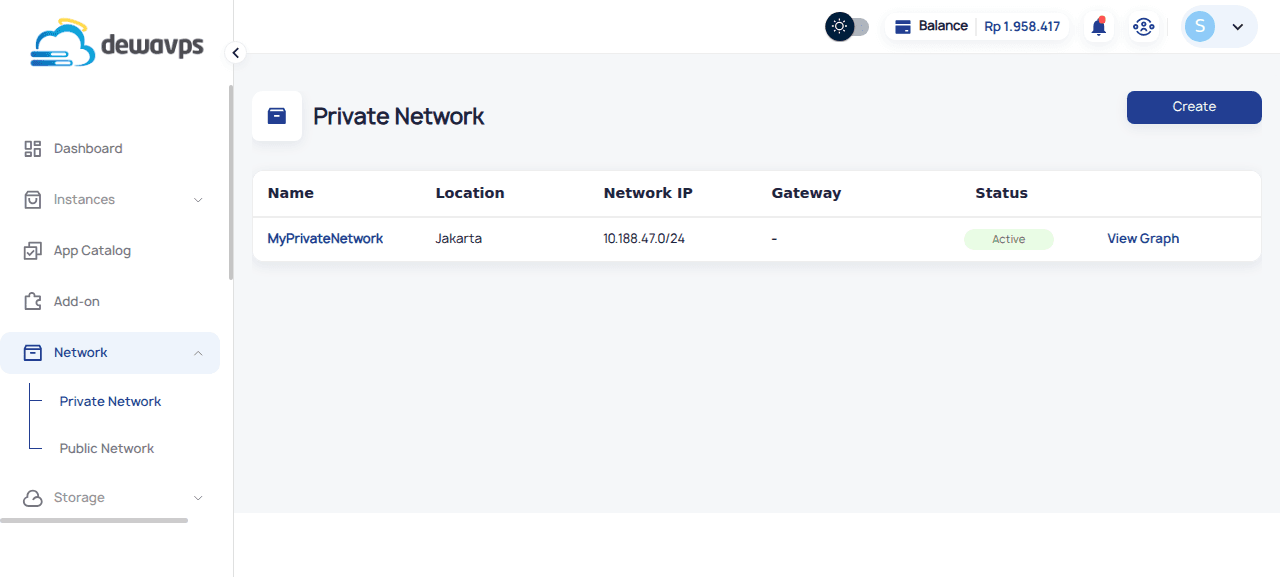
- A private network IP range (e.g.,
10.188.47.0/24) is automatically assigned.
Attaching Instances
After creating a private network, click View Graph to see the network topology and drag instances into the private network.
Reverse DNS (RDNS)
Configure reverse DNS for your public IPs to improve email deliverability and meet hosting requirements.
- Go to Public Network.
- Click the RDNS button (🔗) on the IP row.
- Enter the FQDN (e.g.,
mail.example.com).
Next Steps
- Create Public Network — Allocate a new floating IP
- Change Instance — Reassign a public IP
- Change RDNS — Configure reverse DNS
- Delete Public Network — Release a public IP