

Change Instance for Public Network
You can reassign a Public Network IP (floating IP) to a different instance. This is useful when migrating services or updating your infrastructure.
Steps to Change Instance
-
Log in to your DewaVPS control panel.
-
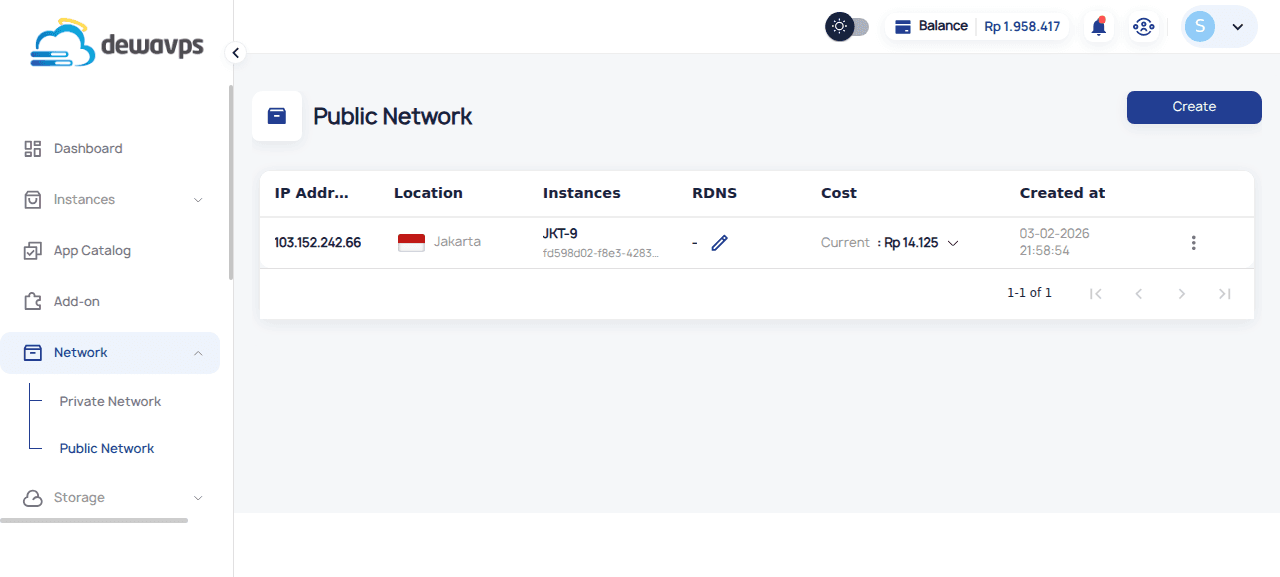
Navigate to Network → Public Network.
-
Find the IP address you want to reassign.
-
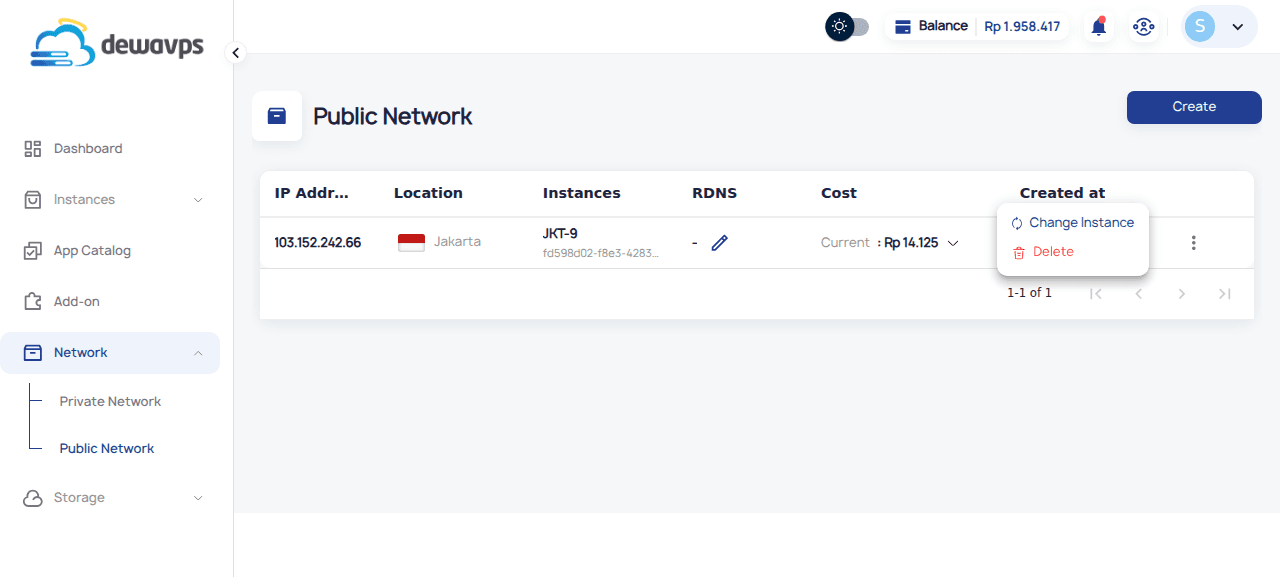
Click the actions menu (⋮) on the IP row.
-
Select Change Instance.
-
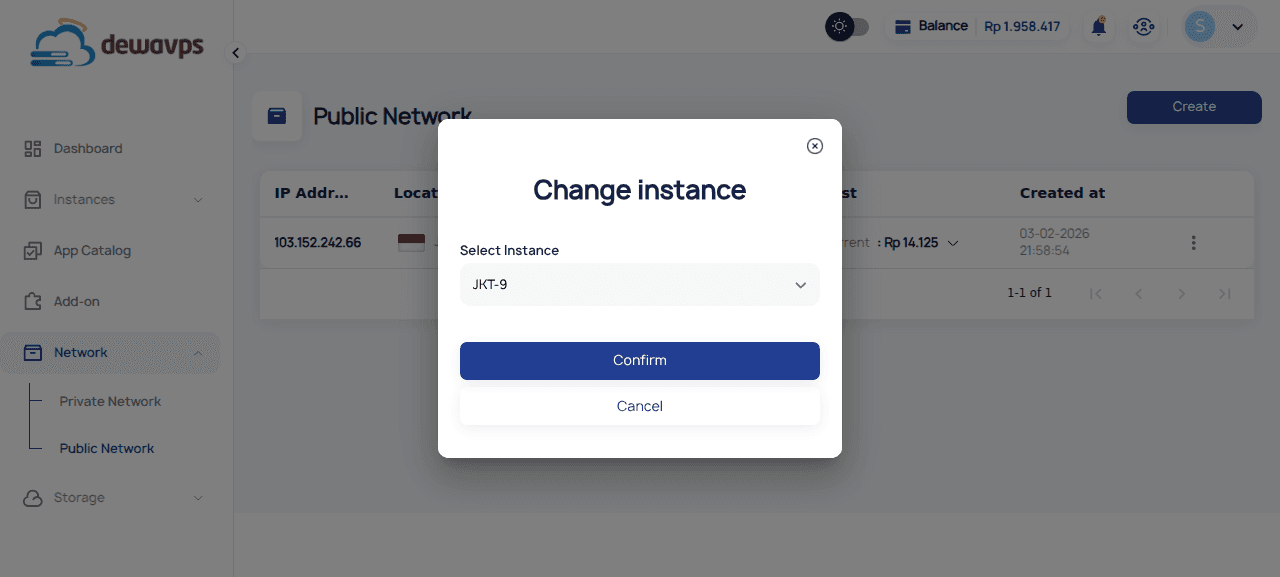
Select the new instance from the dropdown.
-
Click Confirm to apply the change.
Important Notes
- The IP will immediately switch to the new instance
- Any services bound to the IP will need to be running on the new instance
- DNS records pointing to this IP will automatically route to the new instance