
Change RDNS
Reverse DNS (RDNS) maps your public IP address back to a domain name. This is essential for email servers to reduce spam flags and improve deliverability.
Steps to Change RDNS
-
Log in to your DewaVPS control panel.
-
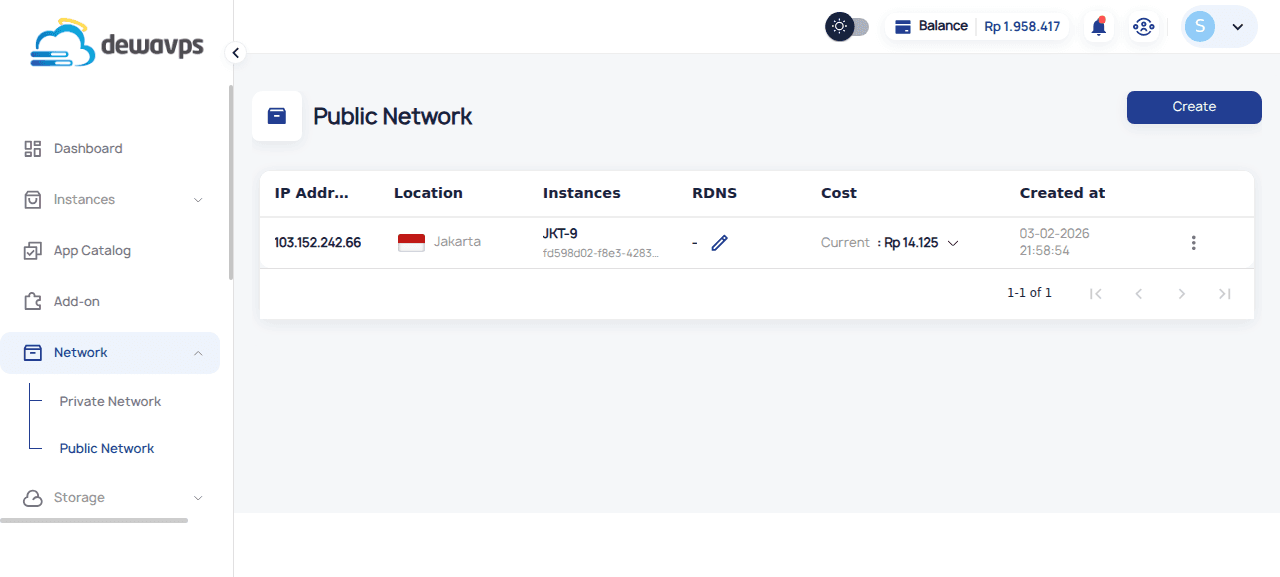
Navigate to Network → Public Network.
-
Find the public IP address you want to configure.
-
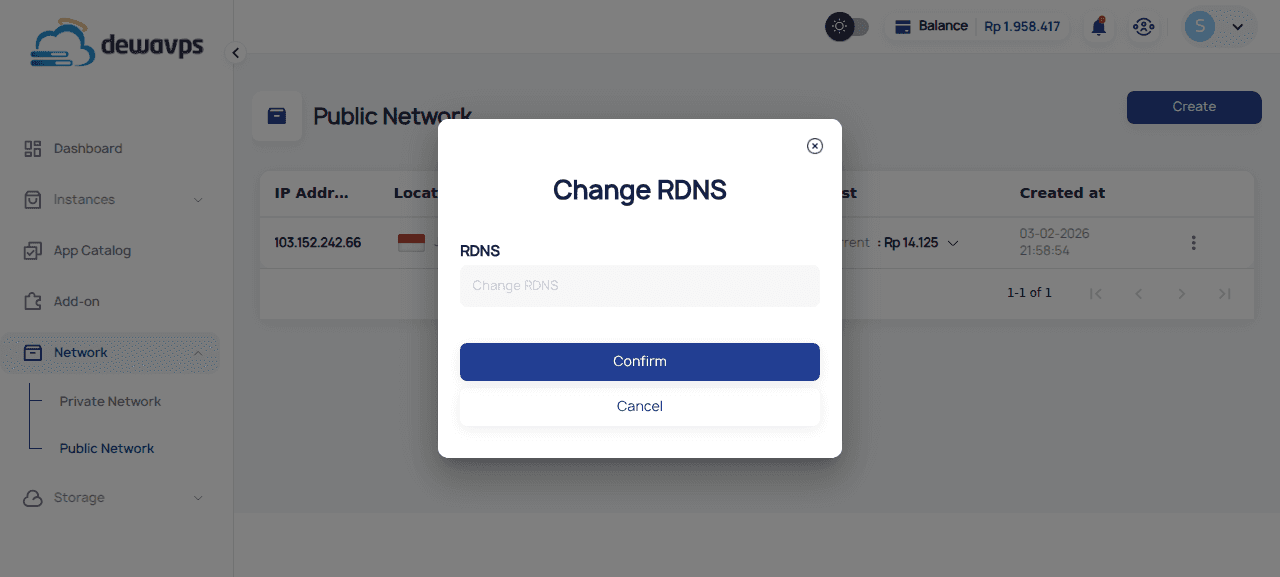
Click the RDNS button (🔗) in the RDNS column.
-
Enter the fully qualified domain name (FQDN), e.g.,
mail.example.com.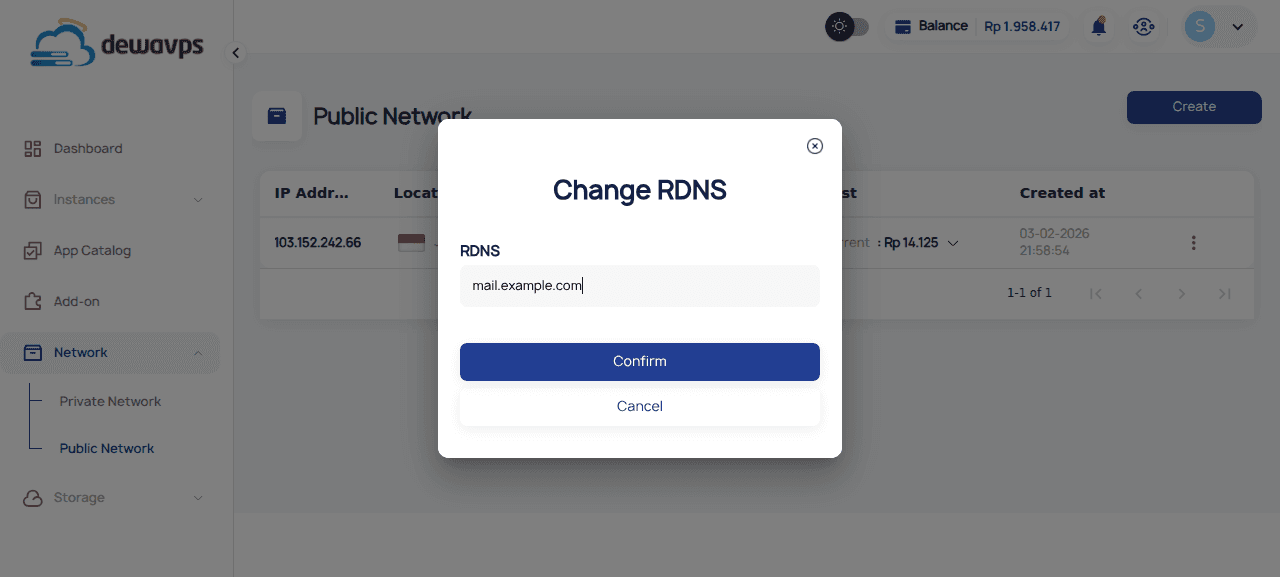
-
Click Confirm to save.
Important Notes
- RDNS changes may take time to propagate across the internet
- Ensure the domain name resolves to this IP address (forward DNS)
- Common use cases: mail servers, SPF records, hosting reputation