

Delete Public Network
Deleting a Public Network IP releases it back to the pool and detaches it from any assigned instance. This action is irreversible.
Steps to Delete a Public Network IP
-
Log in to your DewaVPS control panel.
-
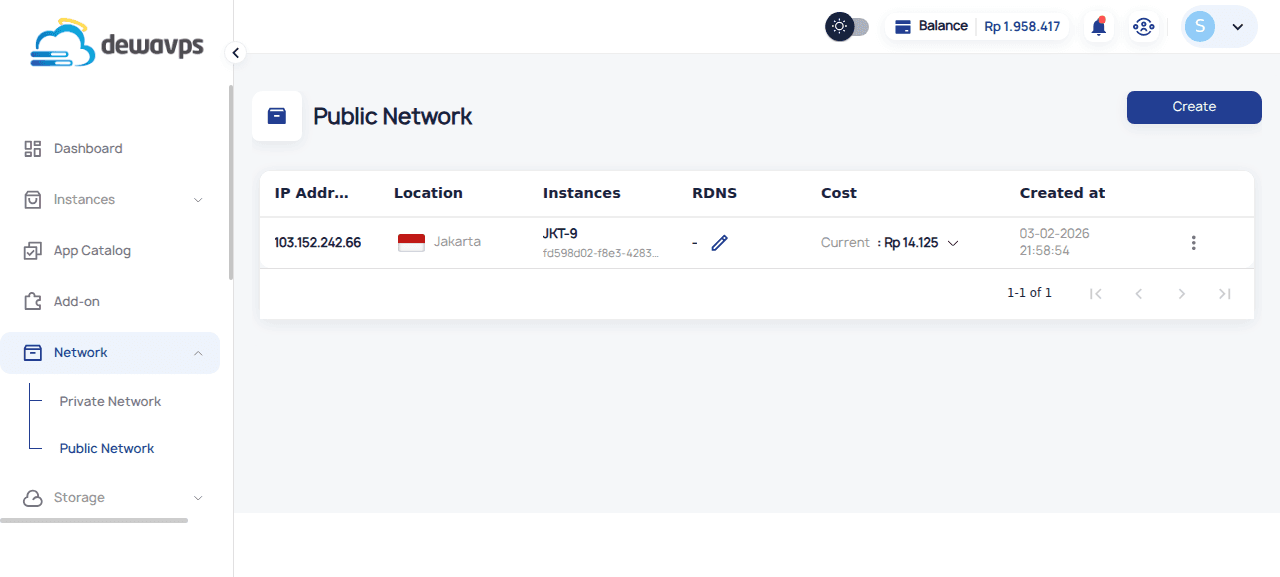
Navigate to Network → Public Network.
-
Locate the IP address you want to delete.
-
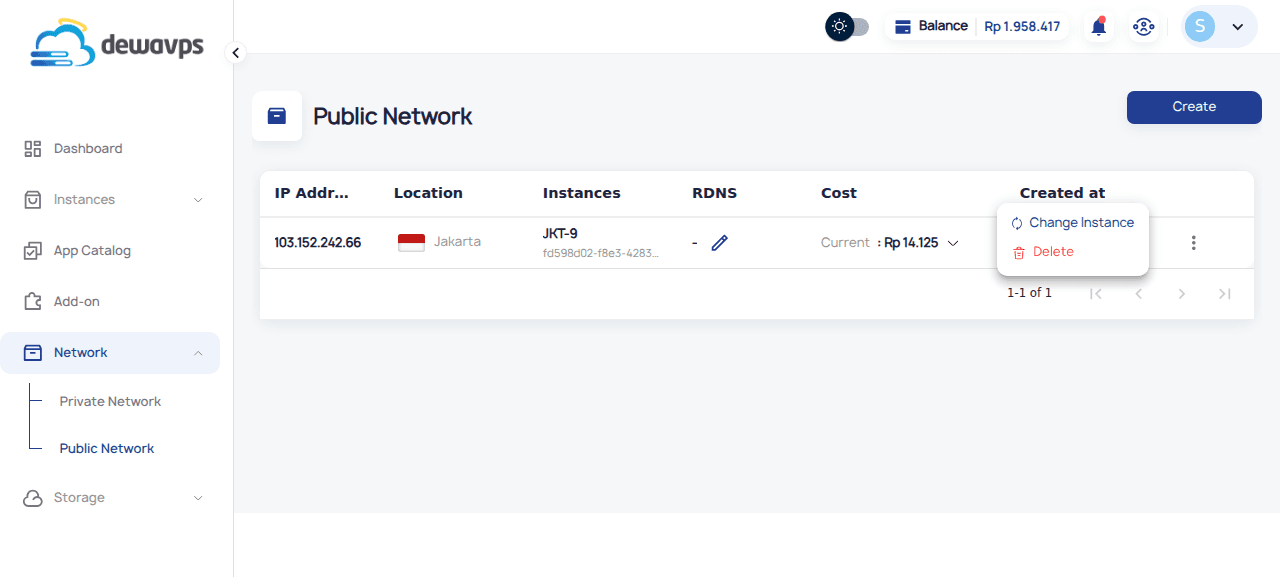
Click the actions menu (⋮) on the IP row.
-
Select Delete.
-
The IP will be released immediately.
Important Warnings
- Irreversible: You cannot recover the same IP address
- New IP: Creating a new public IP will give you a different address
- DNS Updates: Update any DNS records pointing to this IP before deletion
- Services: Ensure no services depend on this IP before deleting
Best Practice
Before deleting a public IP:
- Update DNS records to point to the new IP
- Wait for DNS propagation (up to 48 hours)
- Verify no services are using the IP
- Then delete the IP