

Create Object Storage Bucket
Creating an Object Storage bucket allows you to store and manage large amounts of unstructured data, such as backups, media files, or logs, with scalable and S3-compatible access.
Steps to Create an Object Storage Bucket
-
Log in to your DewaVPS control panel.
-
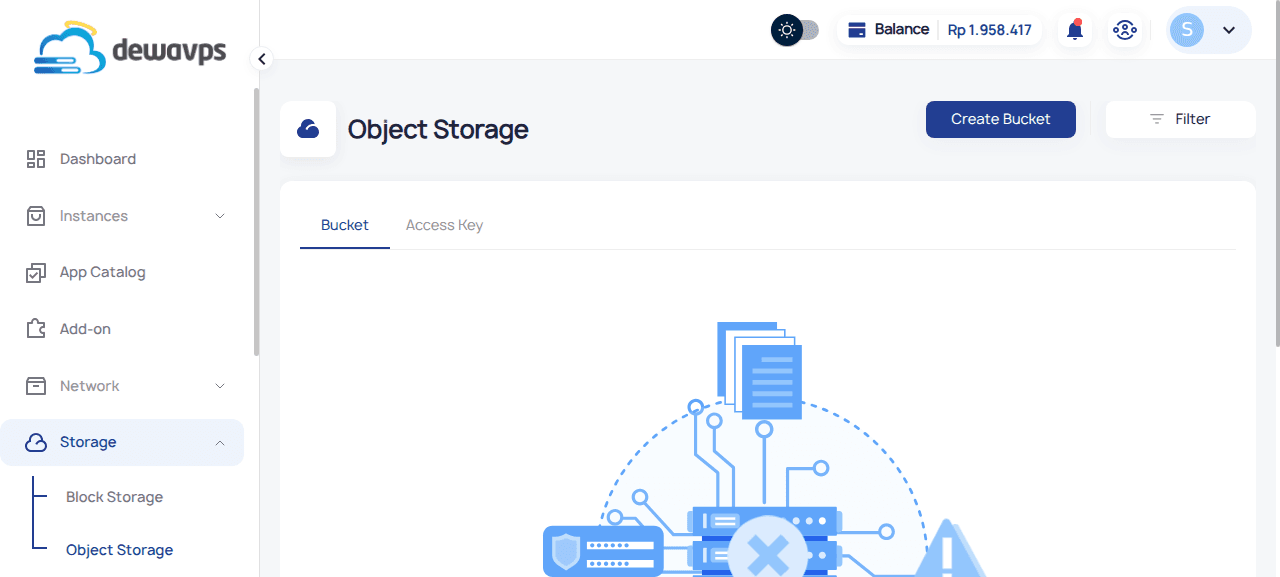
Navigate to Storage → Object Storage.
-
Click the Create Bucket button.
-
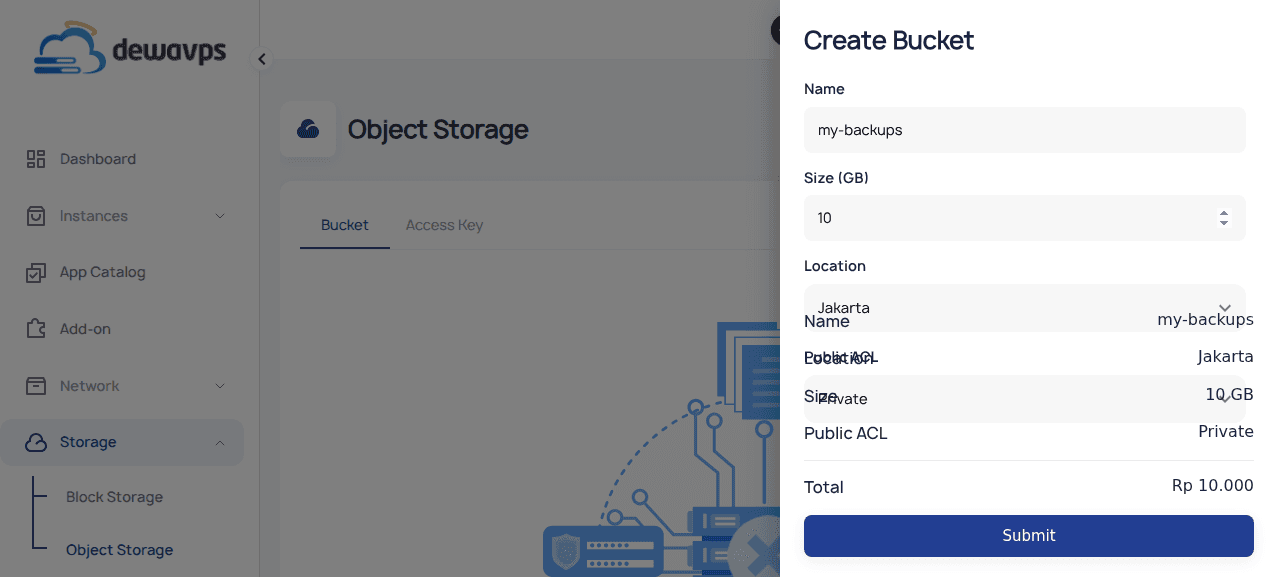
Fill in the required details:
- Name: Enter a unique bucket name (e.g.,
my-backups). - Size: Specify the storage size in GB (e.g.,
10). - Location: Select the datacenter (currently Jakarta).
- ACL: Choose the access control setting.
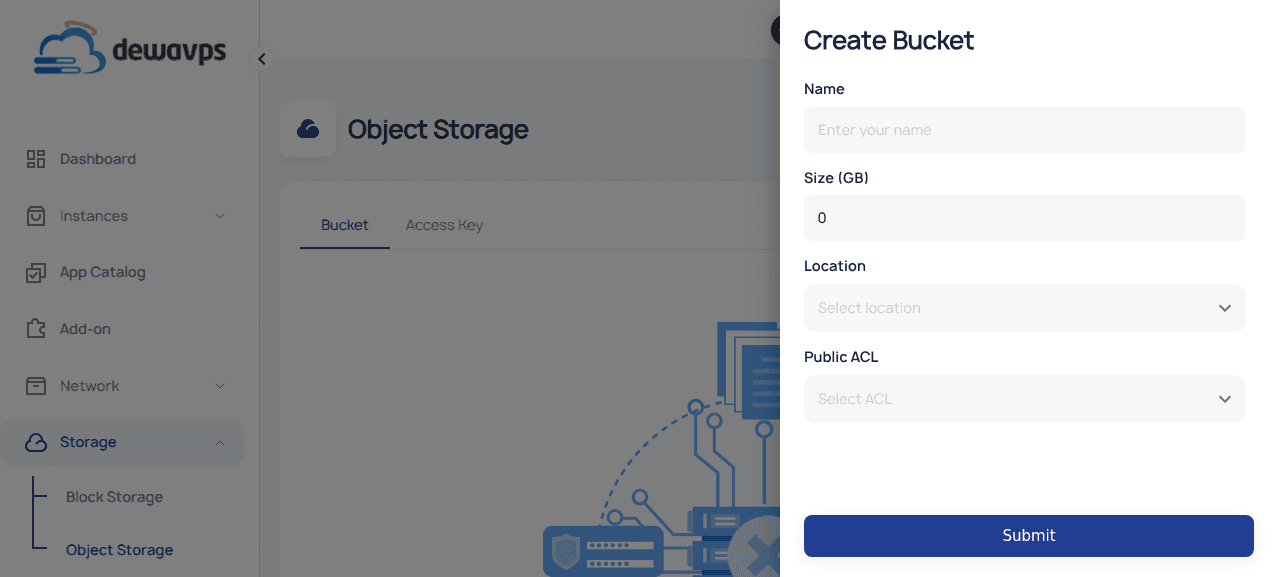
ACL Description Private Only you can access the bucket Read Public read access Read-Write Public read and write access 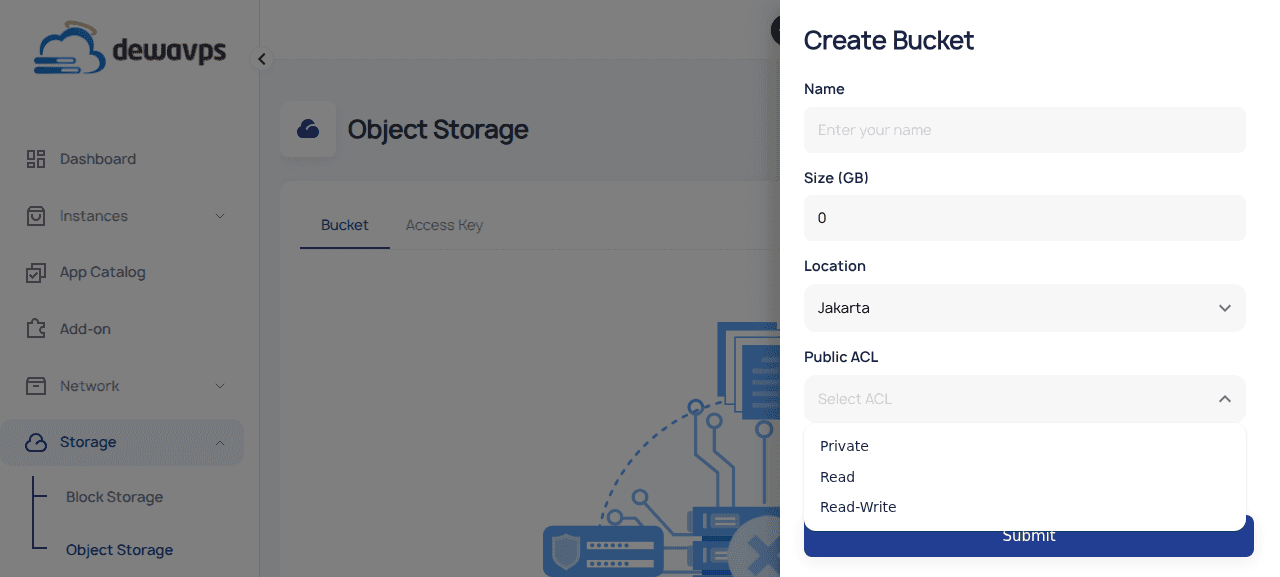
- Name: Enter a unique bucket name (e.g.,
-
Click Submit to create the bucket.
-
Your bucket will appear in the list with status ACTIVE.
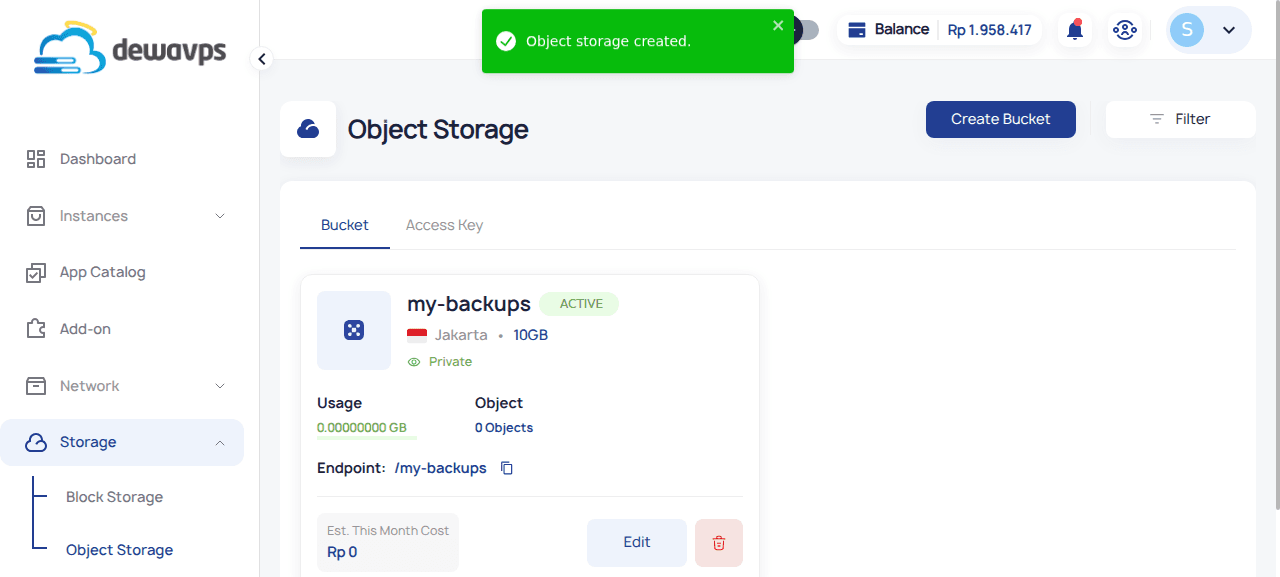
Using Your Bucket
Your bucket has an endpoint URL that you can use with S3-compatible tools:
# Example with AWS CLI
aws s3 ls s3://my-backups --endpoint-url https://object.jkt.dewavps.com

# Upload a file
aws s3 cp backup.tar.gz s3://my-backups/ --endpoint-url https://object.jkt.dewavps.com
You'll need to create an Access Key to authenticate with the S3 API.
Tip: Choose your bucket name carefully — it should be DNS-compliant if you plan to use it with custom domains or CDN services.