

Create Block Storage
Creating a Block Storage volume allows you to add additional persistent storage to your DewaVPS instances. Choose between high-performance SSD (NVMe) or cost-effective HDD storage.
Steps to Create Block Storage
-
Log in to your DewaVPS control panel.
-
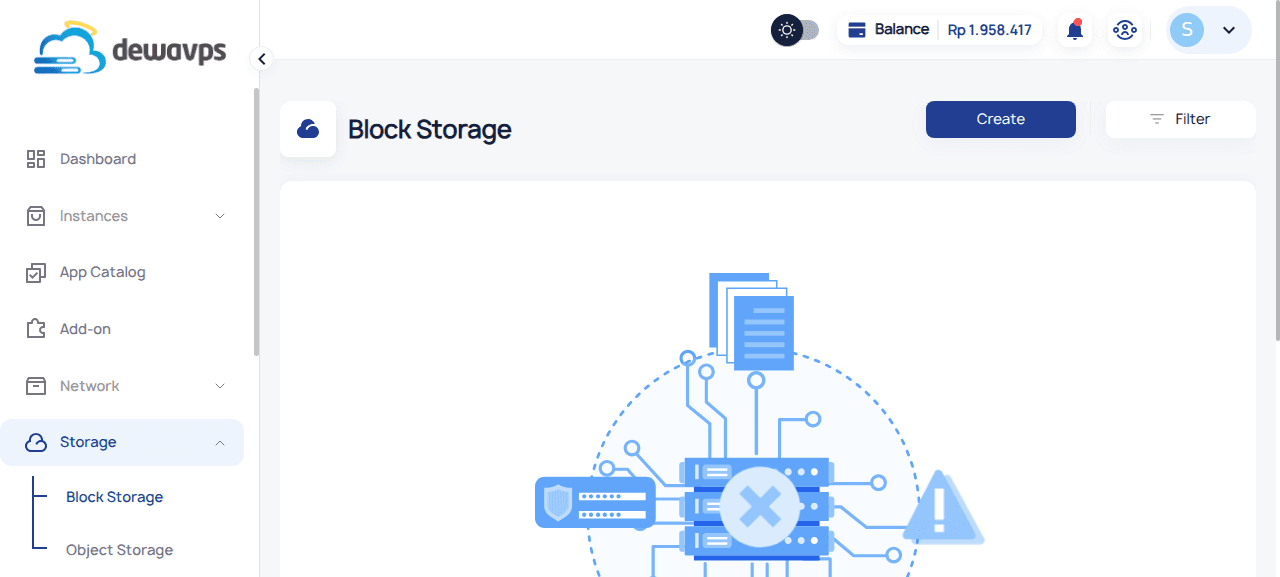
Navigate to Storage → Block Storage.
-
Click the Create button.
-
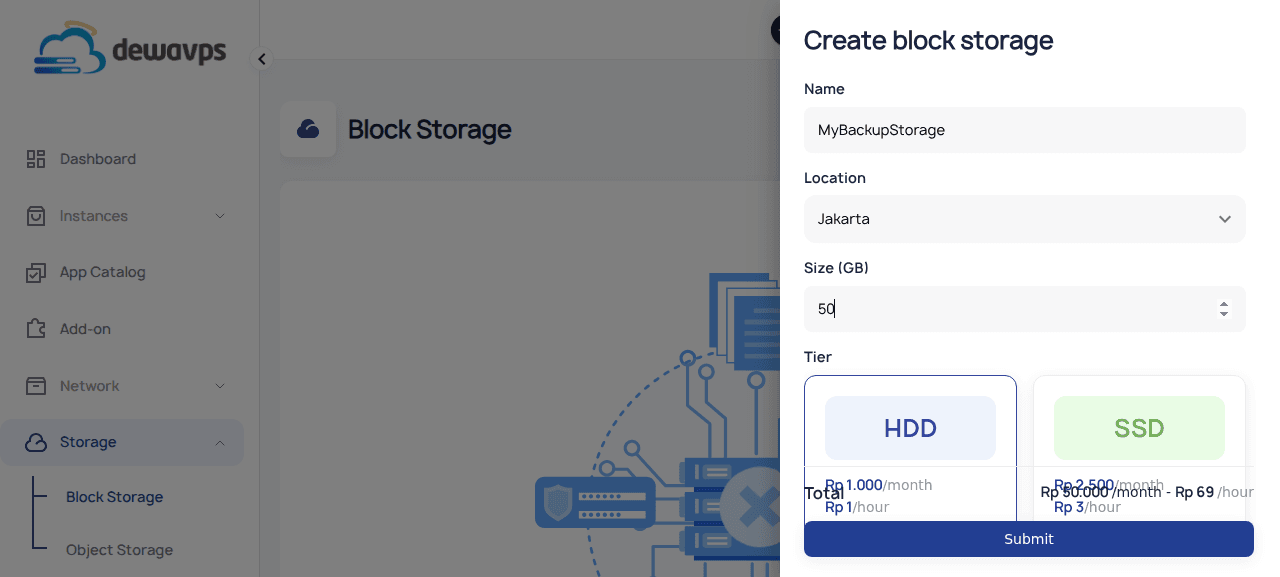
Fill in the required details:
- Name: Enter a unique name (e.g.,
My Backup Storage). - Location: Select the datacenter (currently Jakarta).
- Size: Specify the storage size in GB (e.g.,
50). - Tier: Select HDD or SSD.
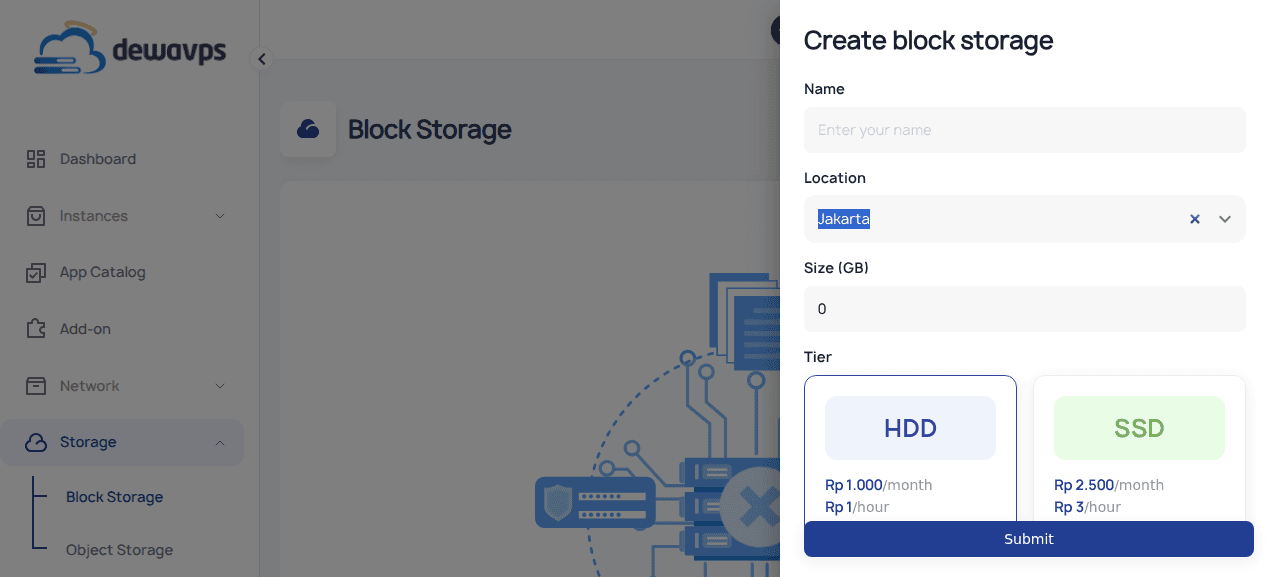
Tier Price Speed HDD Rp 1.000/GB/month Standard SSD Rp 2.500/GB/month High (NVMe) - Name: Enter a unique name (e.g.,
-
Click Submit to create the block storage volume.
-
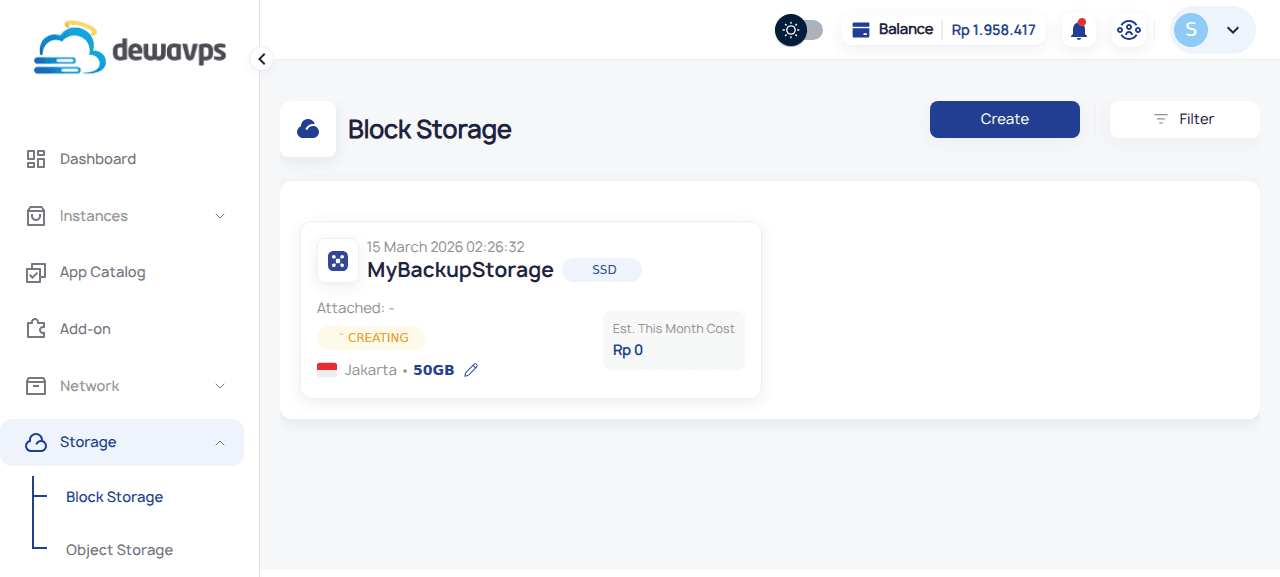
Your new block storage will appear in the list with status CREATING, then ACTIVE.
Next Steps
After creation, attach the block storage to an instance to start using it.