

Target Groups
Target Groups define the backend Instances that the Load Balancer routes traffic to. They appear on the right side of the Load Balancer Scheme diagram.
Understanding the Diagram
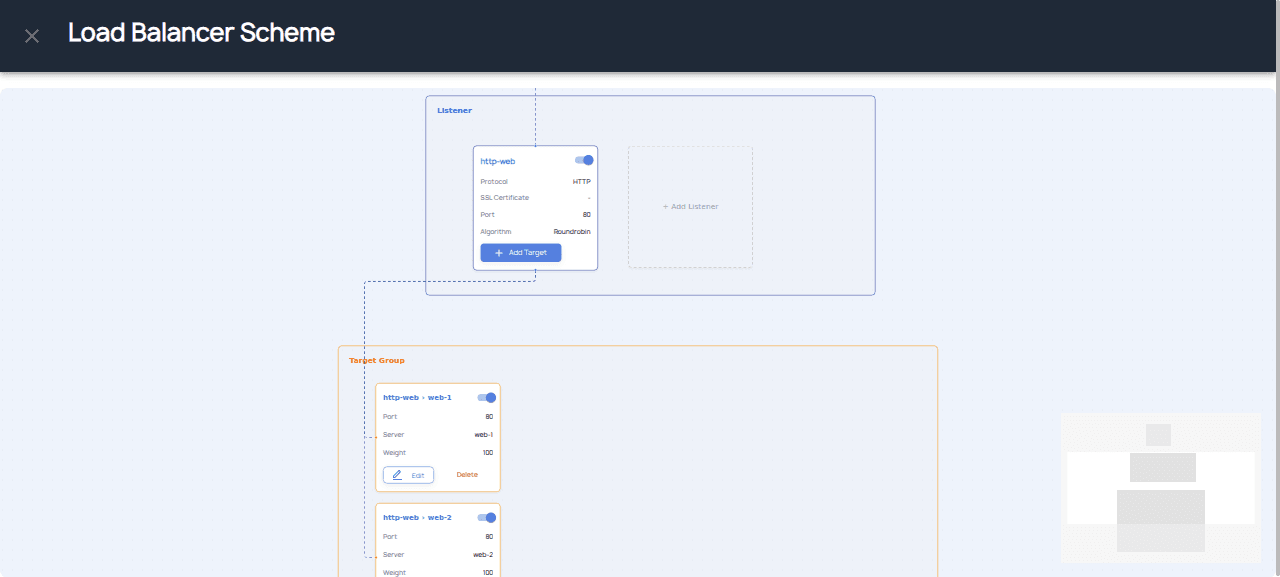
The Load Balancer Scheme has three columns:
- Load Balancer (left) — Shows the load balancer details
- Listener (middle) — Shows configured listeners
- Target Group (right) — Shows backend instances
Adding Targets
After creating a Listener, click Add Target to add backend instances:
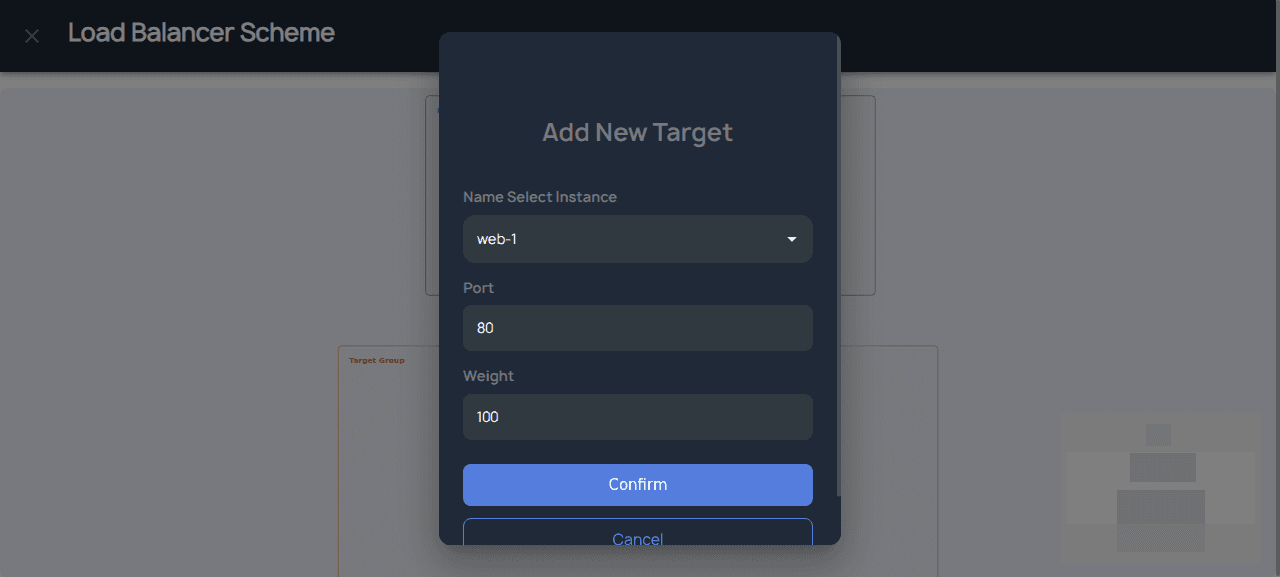
Target Configuration
| Field | Description |
|---|---|
| Instance | Select an instance from your private network |
| Port | The port the instance listens on (e.g., 80, 8080) |
| Weight | Load distribution weight (1-100, higher = more traffic) |
Click Confirm to add the instance to your listener's target group.
Connecting Listeners to Target Groups
The visual diagram shows the routing flow:
- Click Add Target on the Listener node
- Select an instance from the dropdown
- Set the port and weight
- Click Confirm to add the target
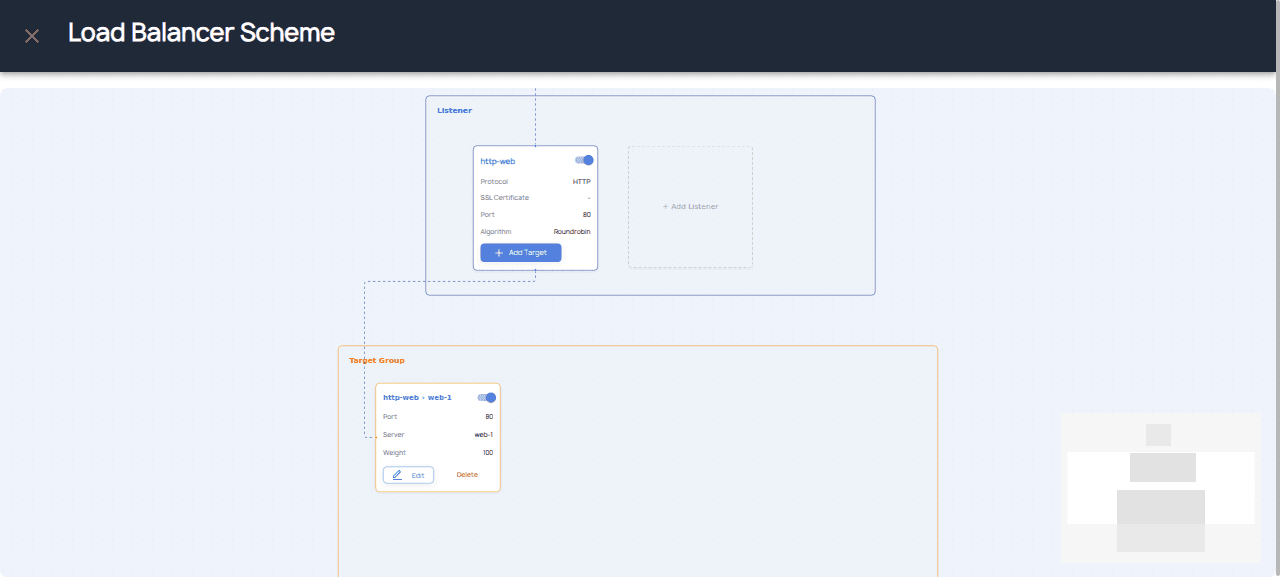
Repeat for each instance you want to add. Traffic will be distributed across all targets based on their weights.
Managing Target Groups
- Add Instances: Click on a Target Group node to add more instances
- Remove Instances: Select instances to remove from the group
- Delete Group: Use the node's actions menu
Important Notes
- All instances in a Target Group must be in the same private network as the Load Balancer
- Instances must be running to receive traffic
- Health checks determine which instances receive traffic
Note: If you don't see any instances available, make sure you have created instances in the same private network as your Load Balancer.