

Listeners
Listeners define how your Load Balancer receives and routes incoming traffic. From the Load Balancer Scheme diagram, click + Add Listener to configure one.
Load Balancer Scheme
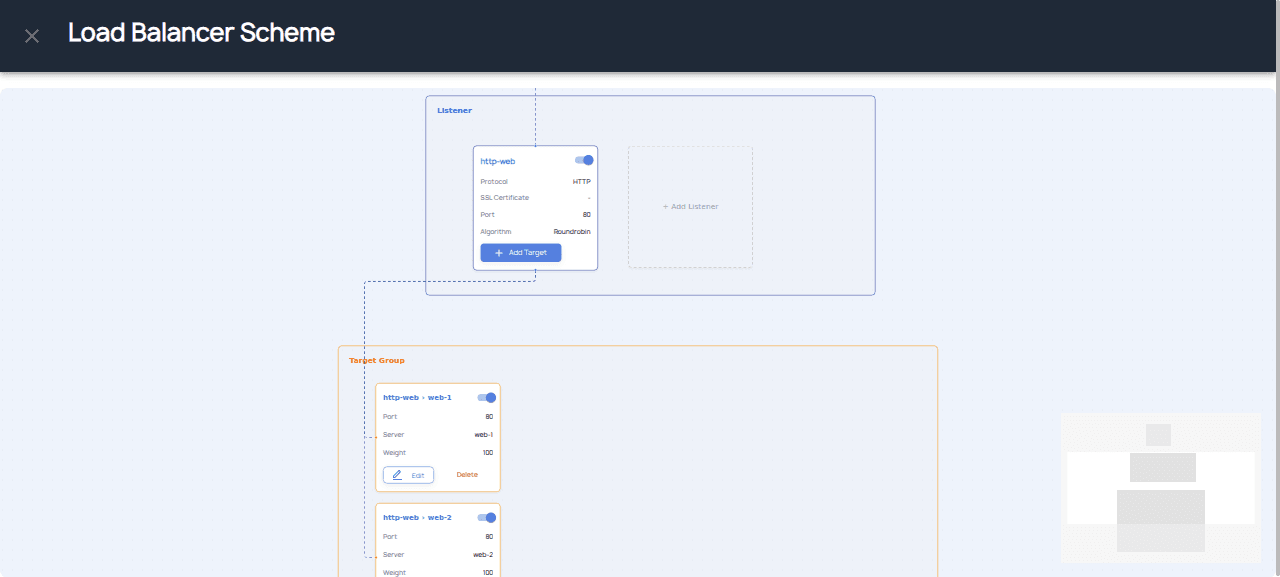
The scheme editor shows a visual diagram with three sections: Load Balancer, Listener, and Target Group.
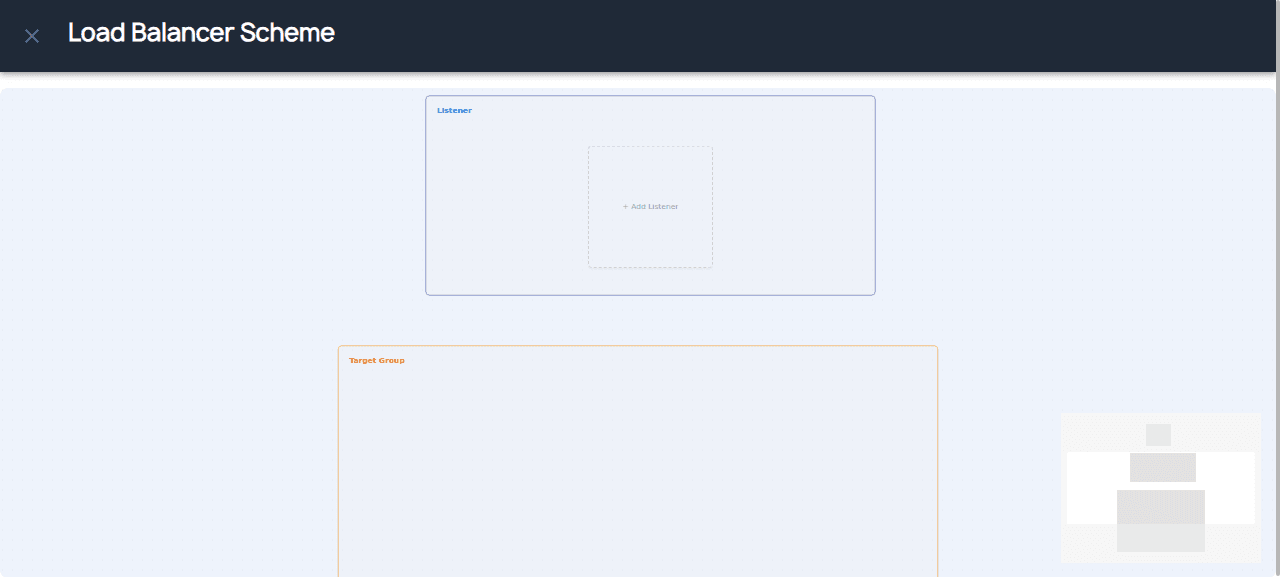
Add New Listener
Click + Add Listener to open the listener configuration dialog:
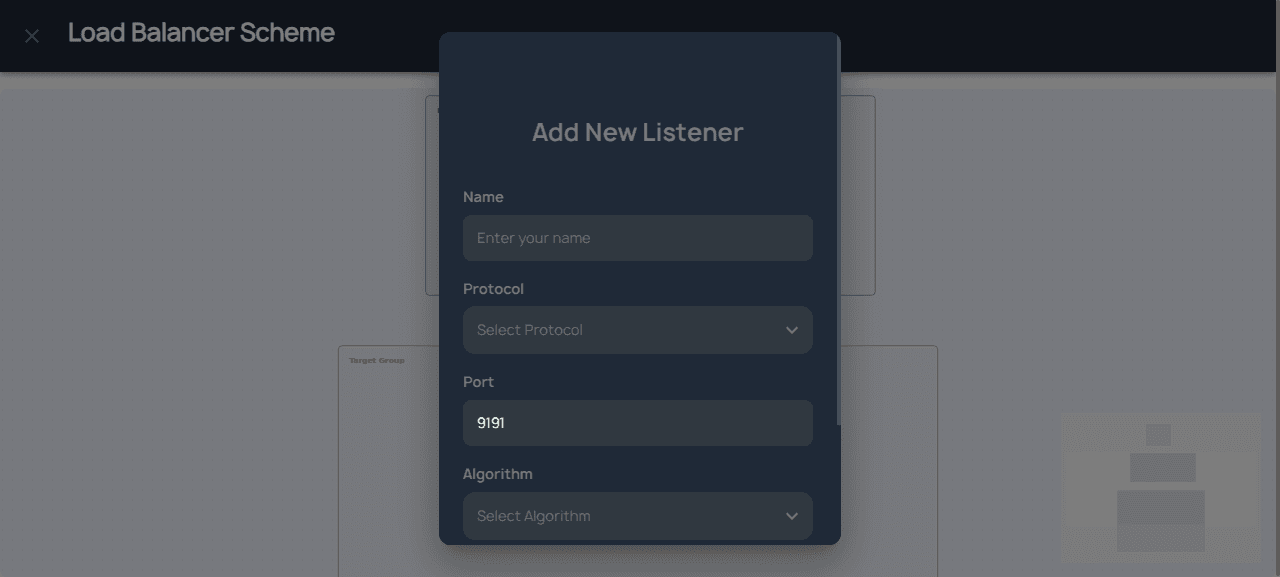
Listener Fields
| Field | Description |
|---|---|
| Name | Enter a descriptive name for the listener |
| Protocol | HTTP, HTTPS, or TCP |
| Port | Enter the port number (e.g., 80, 443, 8080) |
| Algorithm | Load balancing algorithm |
Protocol Options
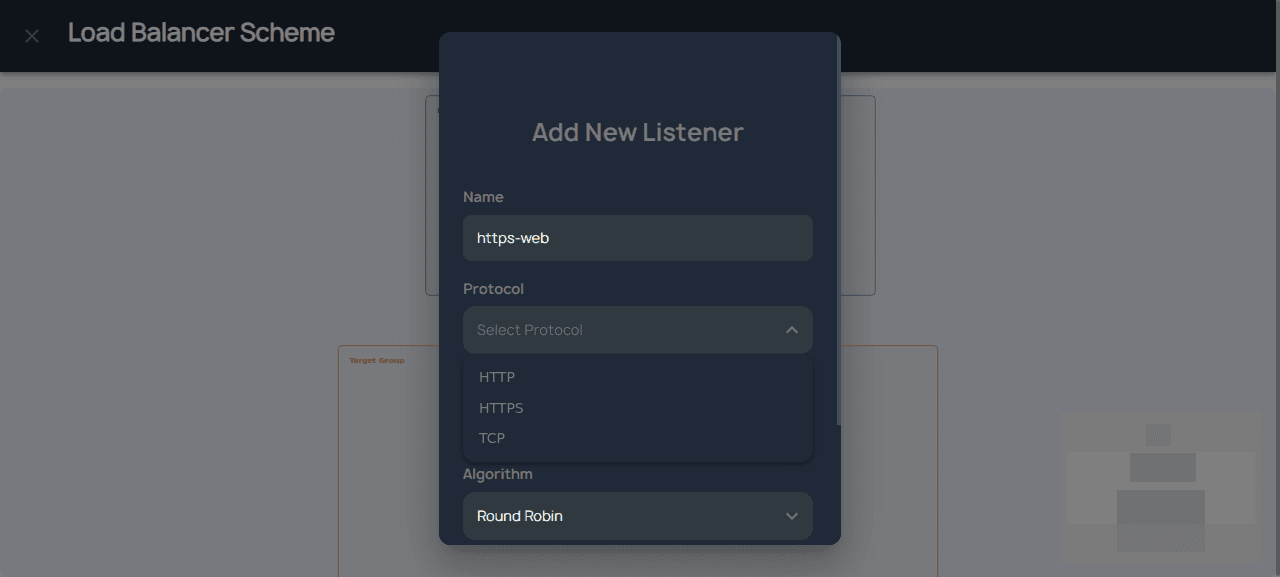
- HTTP — Standard web traffic (port 80)
- HTTPS — Encrypted web traffic (port 443), requires SSL certificate
- TCP — Raw TCP traffic for databases, game servers, etc.
Load Balancing Algorithms
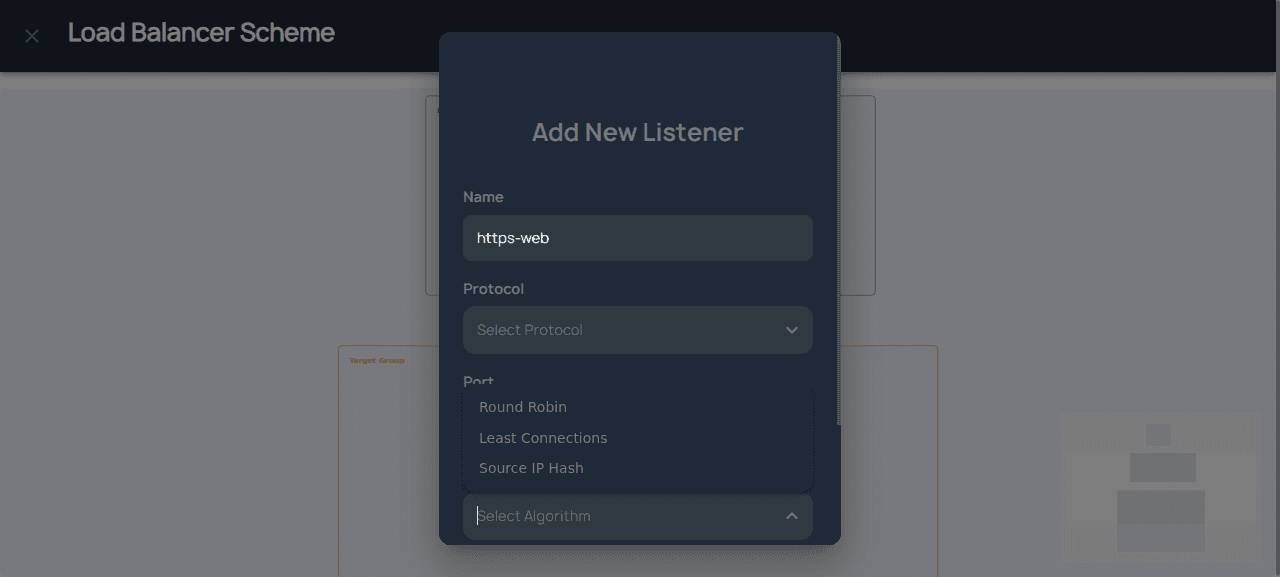
- Round Robin — Distributes requests evenly across all targets in sequence. Simple and effective for evenly-loaded backends.
- Least Connections — Routes traffic to the target with the fewest active connections. Best when backends have varying response times.
- Source IP Hash — Routes requests from the same client IP consistently to the same target. Useful for session persistence.
Complete Form Example
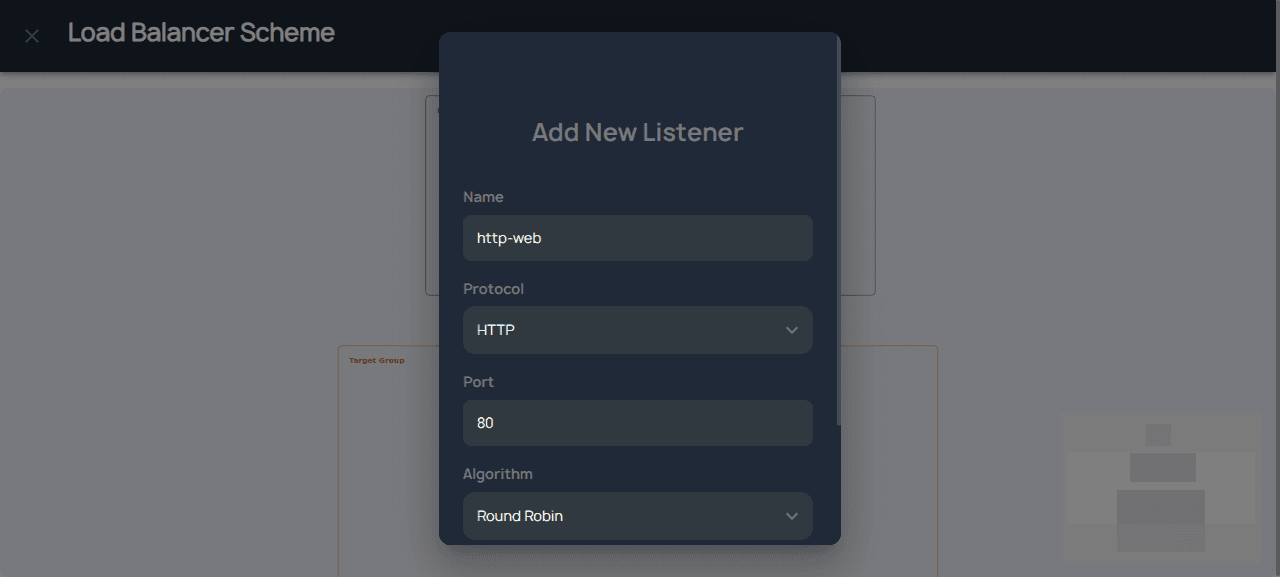
Click Confirm to save the listener.
Managing Listeners
After creation, the listener appears in the diagram. You can:
- Click on the listener node to edit its configuration
- Drag the listener to connect it to a Target Group
- Delete the listener through the actions menu
Tip: For HTTPS listeners, ensure you have uploaded SSL Certificates in Key Management → SSL Certificates first.